Tracks, routes and waypoints
Everything in the file is drawn on the map, so a planned route and a recorded ride both open fine.
Map, elevation profile and stats for any GPX file, right inside ChatGPT. Our server never reads or stores your file.
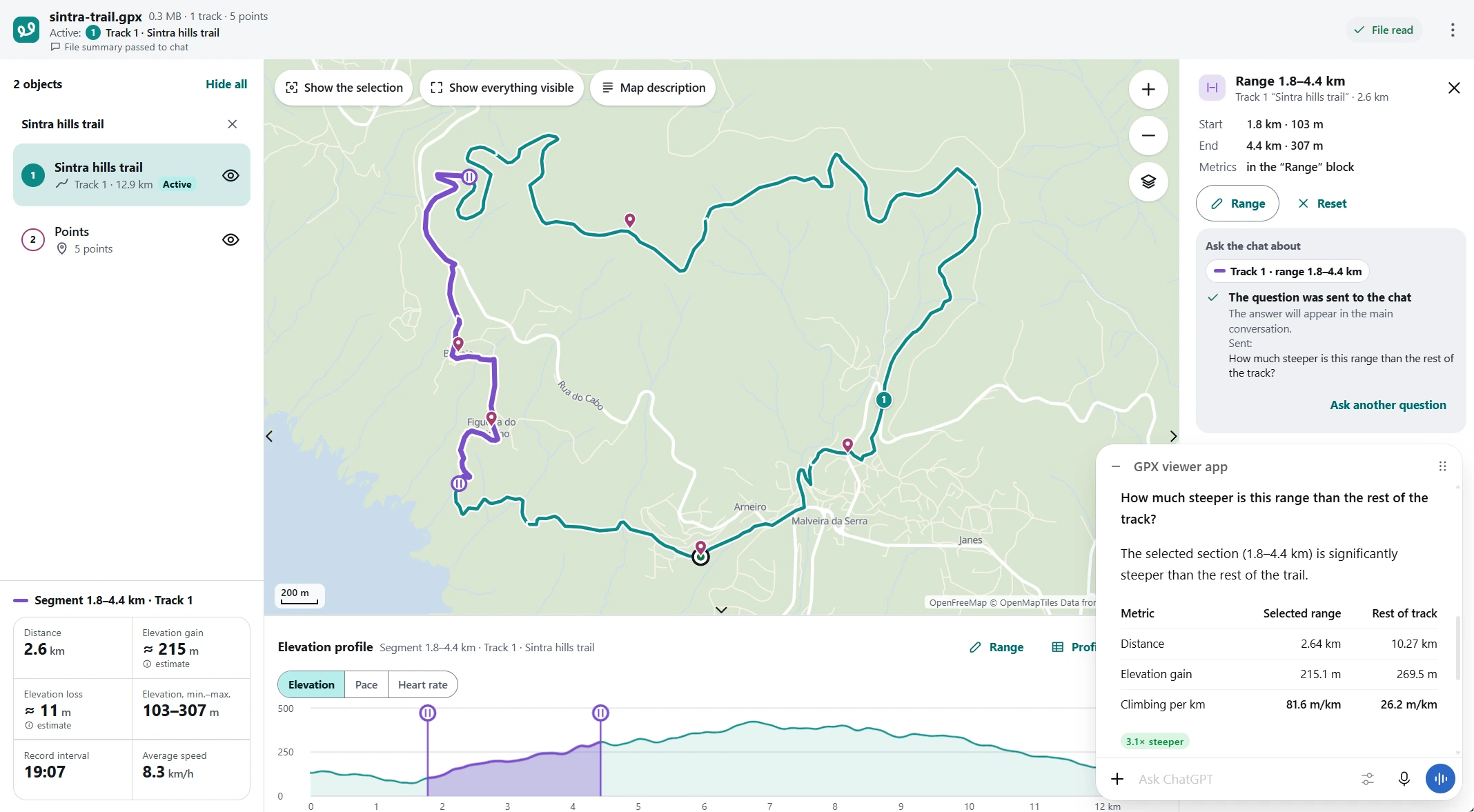
Three steps, all inside the chat.
Drop in a file exported from your watch, bike computer or route planner.
The viewer opens in the chat with your route, profile and totals.
ChatGPT answers about exactly the part you picked.
Everything in the file is drawn on the map, so a planned route and a recorded ride both open fine.
Elevation gain and loss, max gradient and the steepness of any segment you select.
GPX is a standard format. Files from any GPS watch, bike computer or app work the same way.
The GPX file is read on your device, in the chat window you already have open.
Our server never opens, downloads or stores your track, your location history or your waypoints.
There is no account and no library of past files. We keep no copy of your file or your track.
Your attached file, the questions you send and a summary of the file that the viewer shares so ChatGPT can answer go to ChatGPT, as in any conversation. Details are in the privacy policy.
GPX is a common file format for GPS data. It holds tracks (where you went), routes (where you plan to go) and waypoints (named places). Most watches, bike computers and apps can export it.
Yes. GPX Viewer is free to use.
No. GPX Viewer works on any ChatGPT plan that supports apps.
Not to us. The file is parsed in your browser, and our server never opens, downloads or stores it. You attach it in ChatGPT, so ChatGPT handles it like any upload. After it opens, the viewer shares a summary of the file with ChatGPT so it can answer, and the questions you send go to ChatGPT as well.
Up to 10 MB per file.
Free. Our server never reads or stores your file.